No recipe fits
your kitchen.
So we write one —
then cook it with you.
Every other app ends where cooking begins. HomeMenu writes a recipe for your kitchen, works backwards from when you want to eat so you know the hour to start, and stays with you through the cook.
Free during beta. No credit card. Delete your account anytime.
Tap to cook a real recipe →
What makes it different
Four things every other meal app stops short of.
It writes the recipe
Not a database lookup with your ingredients filtered out. HomeMenu generates a recipe for what is actually in your kitchen tonight.
It knows when to start
Tell it when you want to eat. It works backwards through every step — including the marinade that needed eight hours — and tells you the hour to begin.
It cooks for a family
Servings that scale to your household, a week you can plan, and leftovers that count as a meal instead of disappearing.
Cook Mode is a command center
Timers, parallel steps, conversions and substitutions in reach while your hands are busy — not a wall of instructions you scroll with a wet thumb.
Dinner at seven means starting at a particular hour.
Every recipe app can tell you a dish takes an hour. That is the wrong number. The one you need is the hour to begin — and getting there means counting the prep, the resting, and every passive wait in between, backwards from when people sit down. HomeMenu does that arithmetic so you are not doing it at half past six.
The card beside this is computed, not drawn: it runs the same timing helper the app’s plan does, over a real recipe.
- Sit down to eat
- 7:00 PM
- Everything the day needsprep, cooking and every wait
- − 1 h 5 min
Add recipes from anywhere
Paste a link, share it straight from Instagram or YouTube, snap a photo, type in the one you know by heart, or start from nothing but what is in the fridge. Every way in lands as one recipe out.
From your pantry
It reads what you already have and writes something to cook with it.
Pick ingredients
Choose what you feel like using. It builds the recipe around them.
Paste a link
Any recipe page. It pulls out the ingredients, steps and timings.
From a YouTube video
Paste the link. It pulls the recipe from the video's description.
Search the web
Describe the dish. It finds real recipes and brings one back whole.
Snap a photo
A cookbook page, a card in your grandmother's hand, a note on the counter.
Type or paste
The one you know by heart, or one copied from a message. It lays it out for you.
Share from your socials
Saw it on Instagram or YouTube? Tap Share, pick HomeMenu, done — in the iOS and Android apps.
However it arrives, it lands as one structured recipe — scalable, shoppable, and ready for Cook Mode.
It knows what is in your kitchen
Most apps ask what you feel like eating. HomeMenu starts one question earlier — what is already in the house, how much of it is left, and what will not survive the week. That is the difference between a recipe you could cook and one you can cook tonight.
Scan the receipt
A whole shop, read and filed in one photo.
Scan a barcode
For the things a receipt prints as a code.
Finish a shop
What you bought moves itself into the pantry.
- Chicken thighs2 lbs · fridgeIn stock
- Baby spinachUse in 2 daysExpiring
- Garlic1 head · pantryRunning low
- Olive oilStaple · pantryIn stock
Spinach goes first — so tonight’s recipe is built around it.
The whole loop, end to end
Pantry to plan to table, and back again — each step handing the next one what it needs.
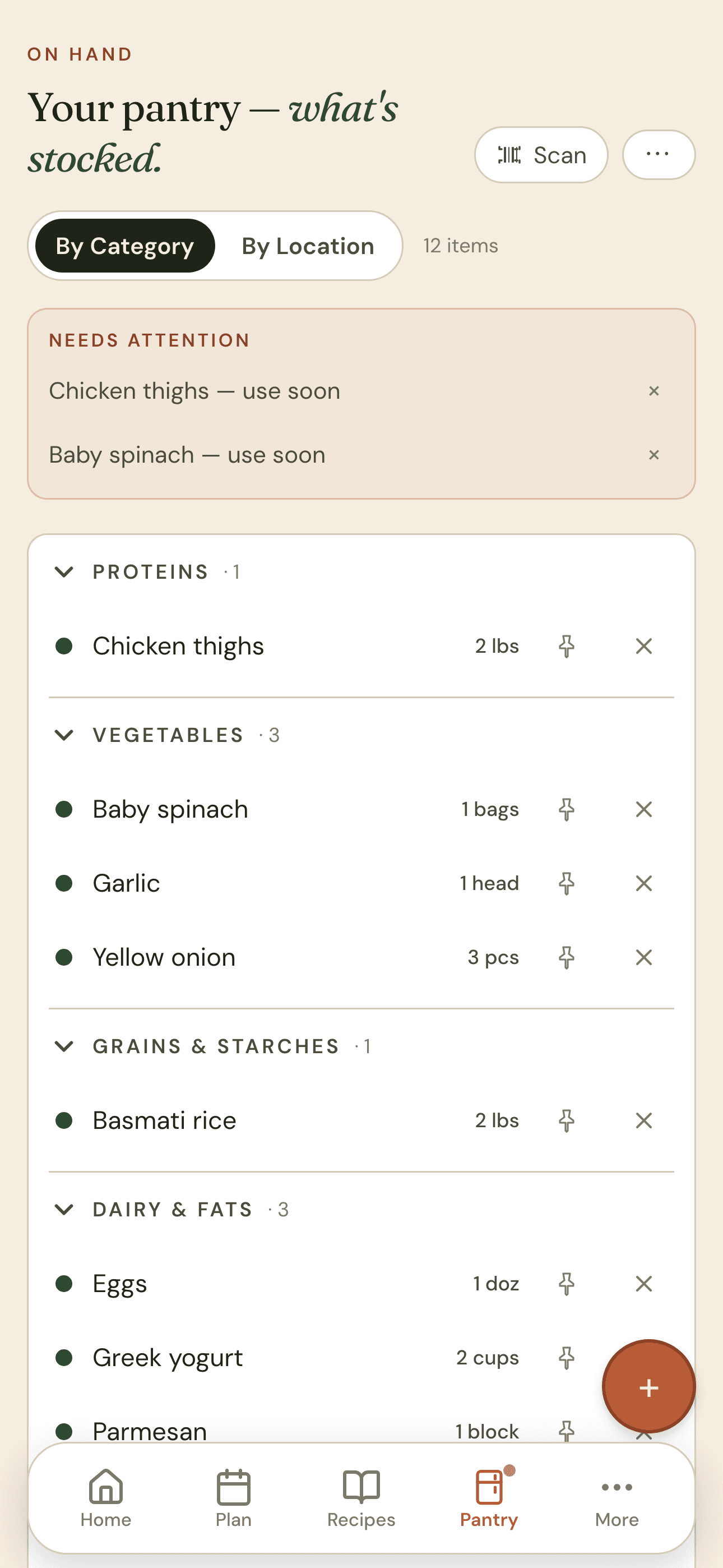
1. Manage your pantry
Know what you have, and what needs using first.
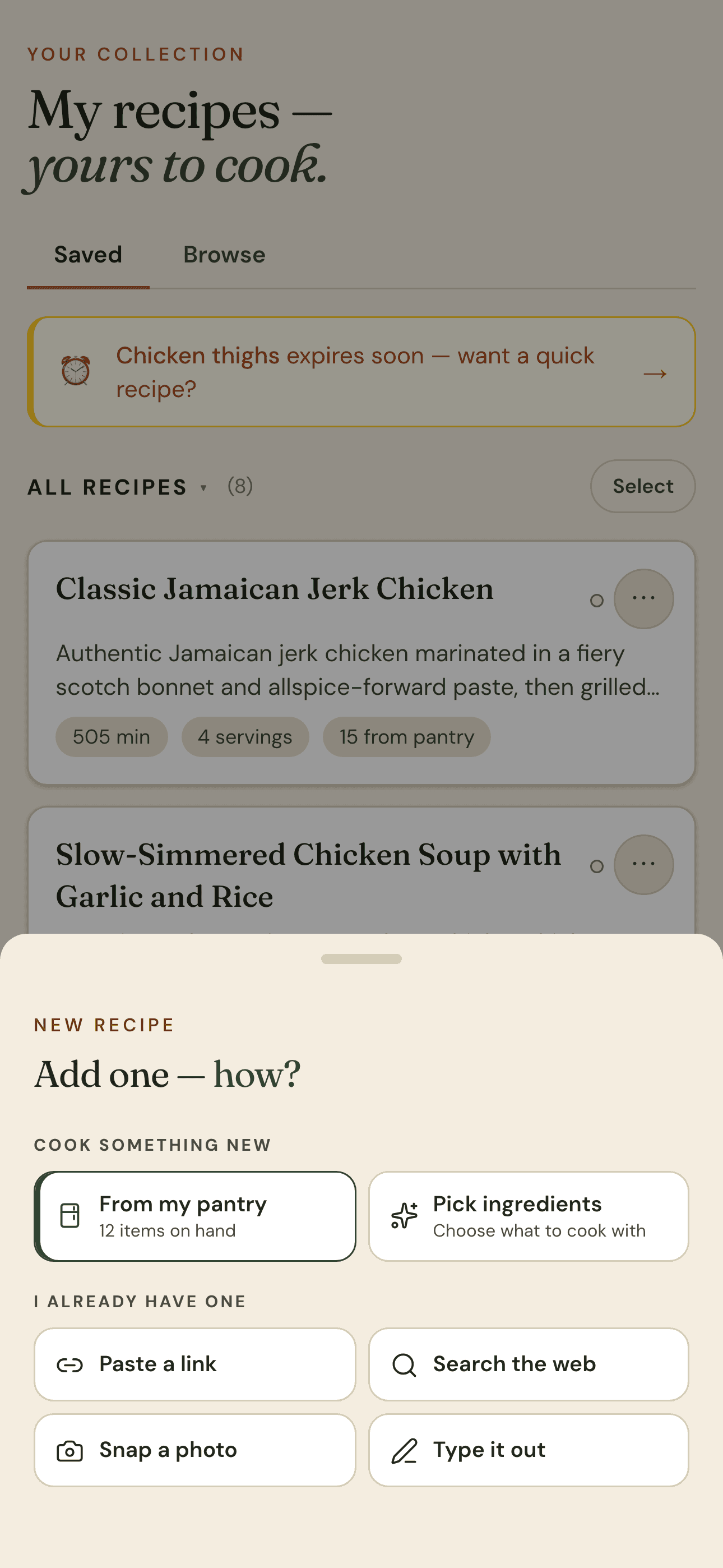
2. Add recipes
Generate one for tonight, or bring in your own.
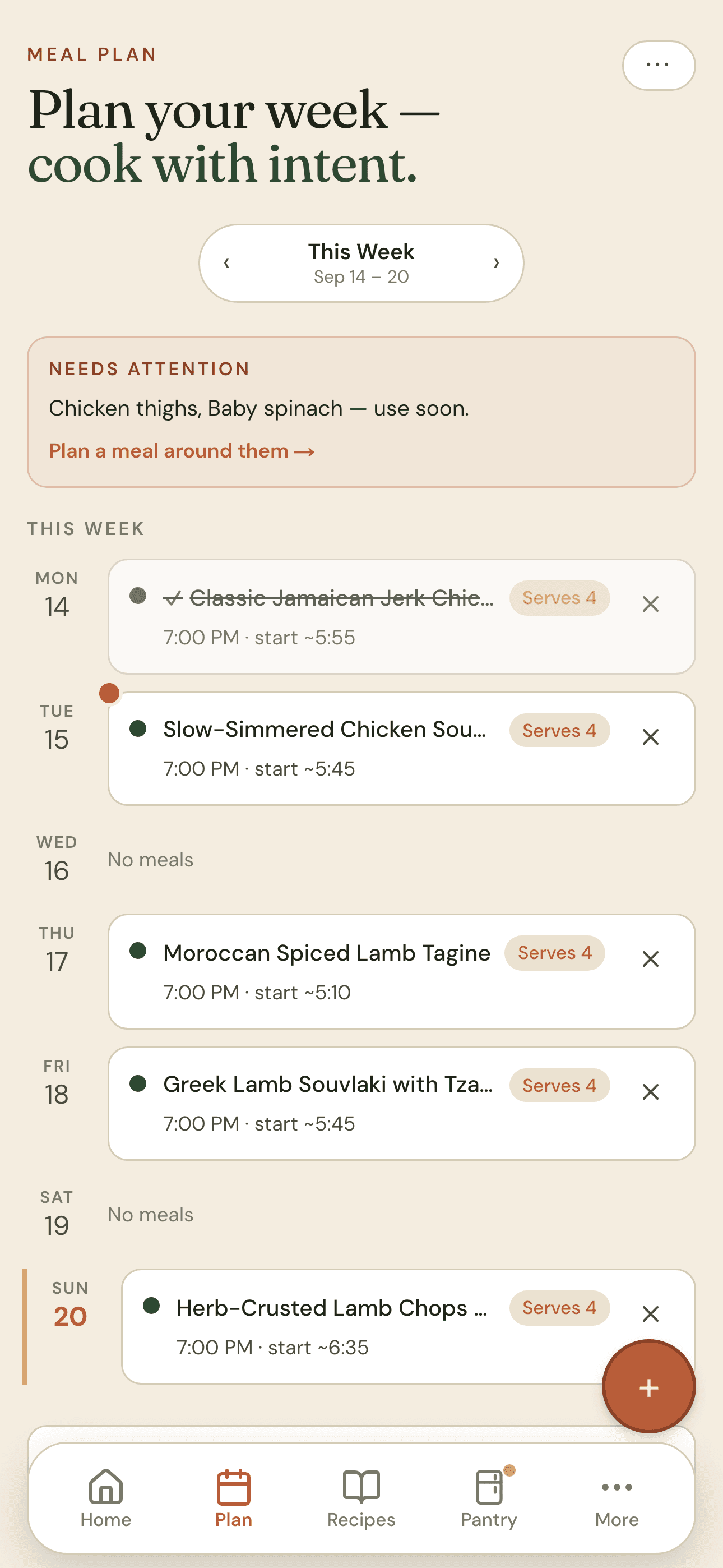
3. Plan for the week
Meals on days, each with the hour to start.
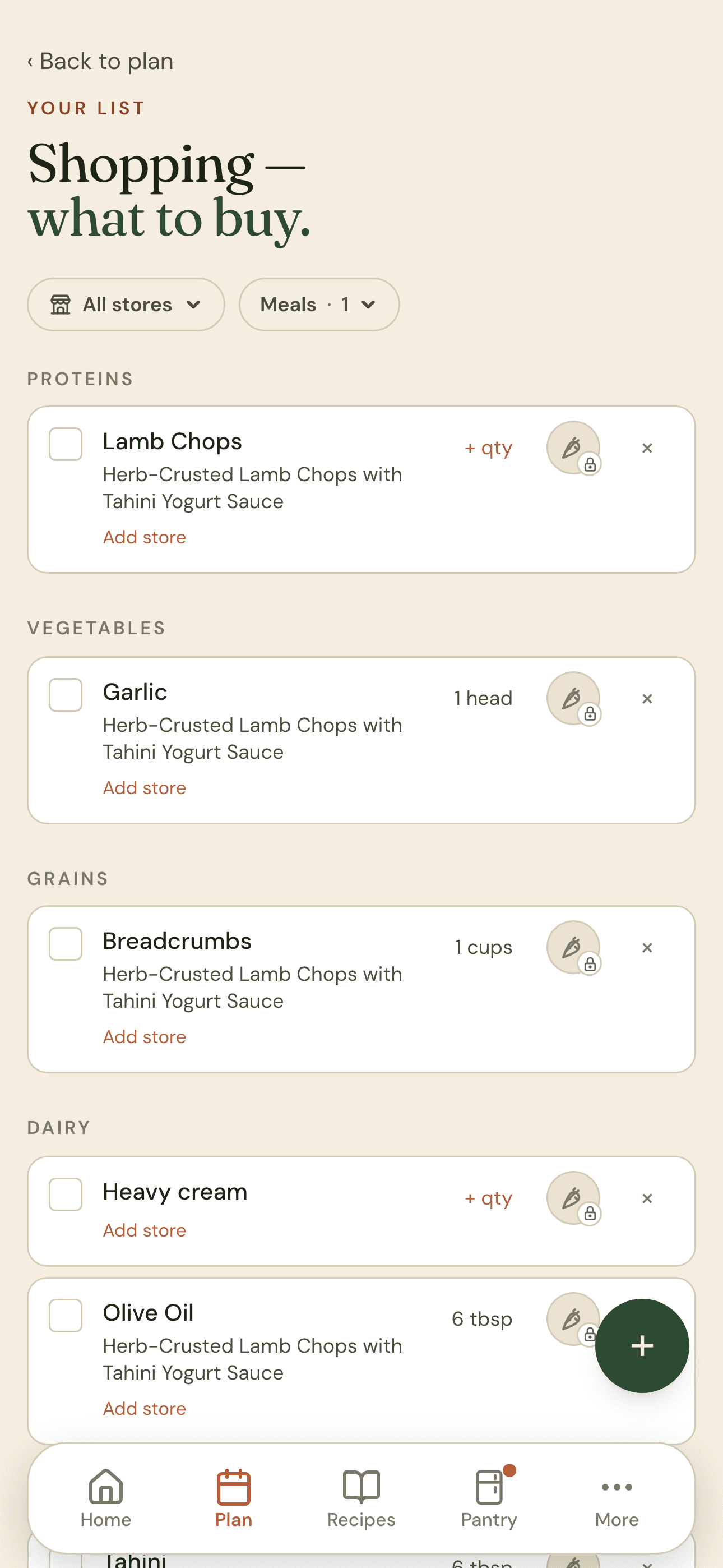
4. Shop for every meal
One list for the whole week, minus what you already have.
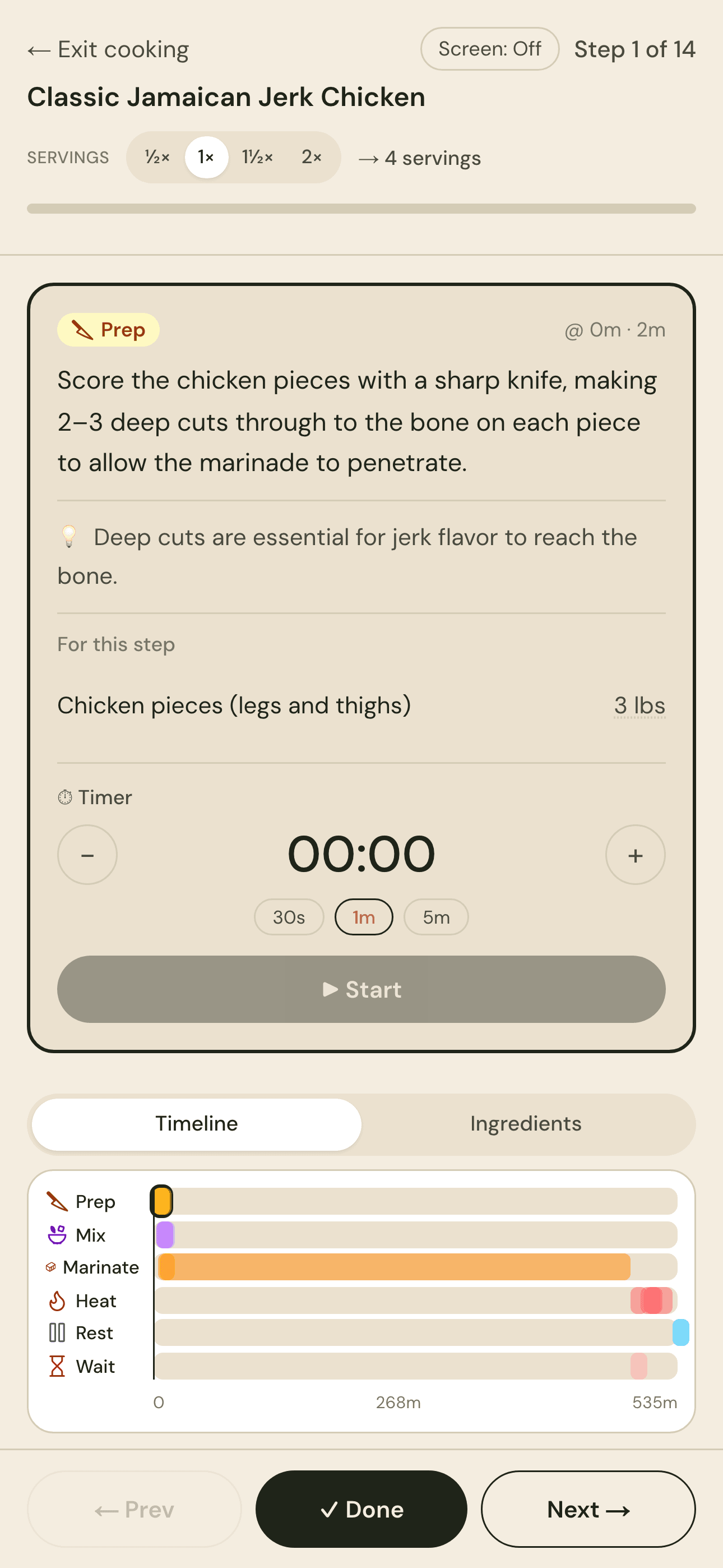
5. Cook it
Timers, steps and conversions in reach while your hands are busy.
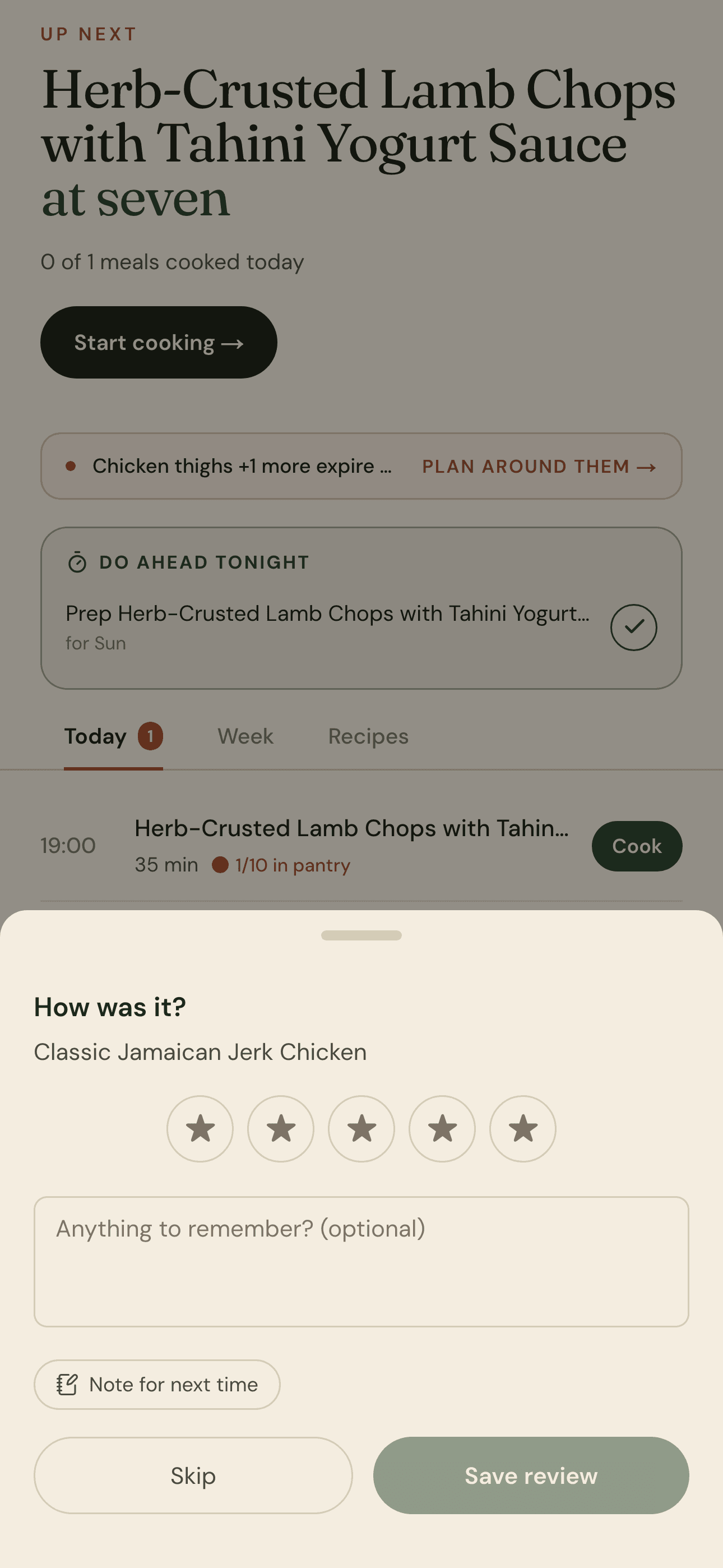
6. How was it?
Rate it and adjust, so next week knows what worked.
Cook what you actually have — tonight.
Free while HomeMenu is in beta. No credit card, and you can delete your account and everything in it whenever you like.